
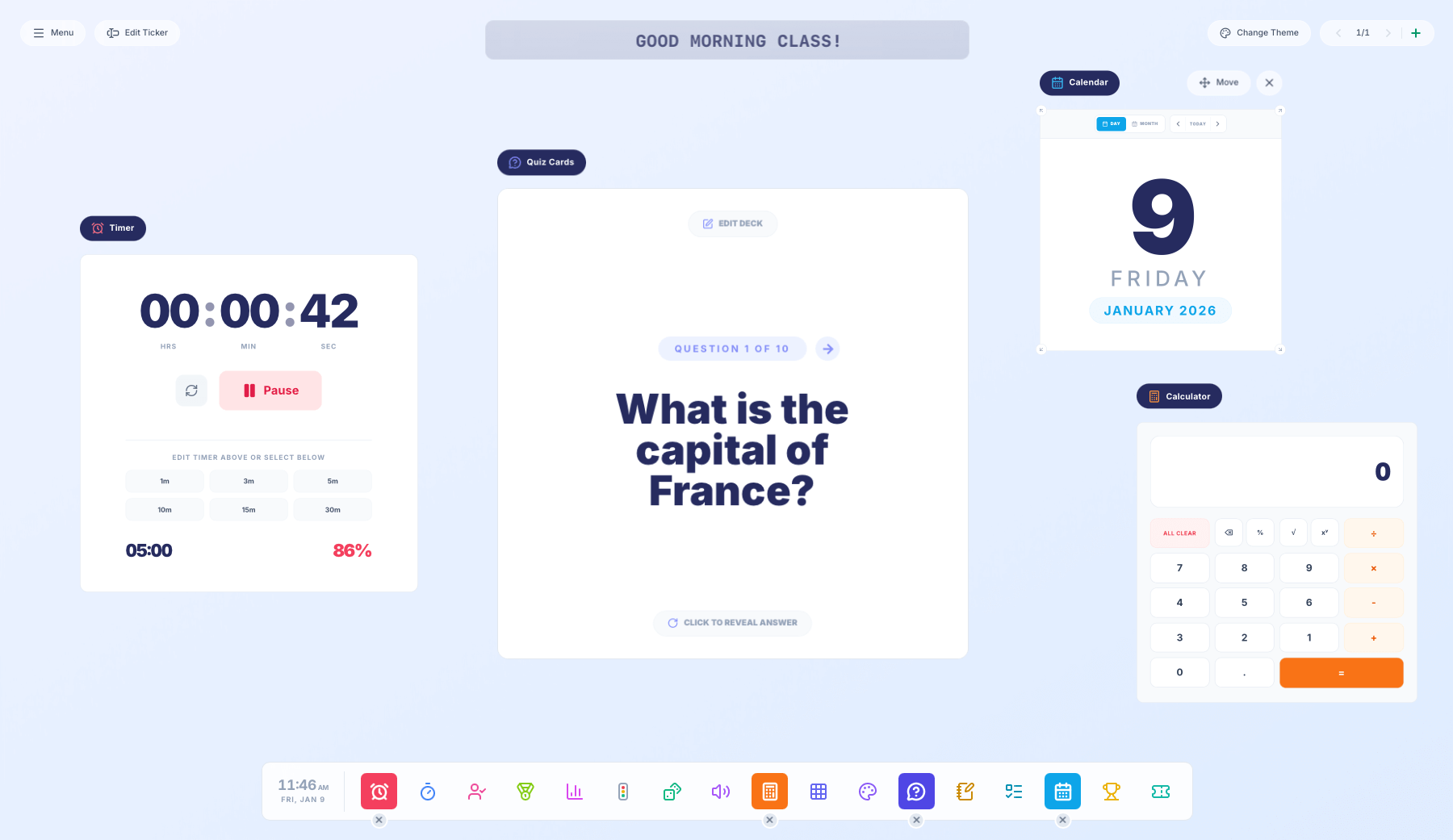
If you’ve ever stood at the front of a classroom juggling a timer, a name picker, a scoreboard and a whiteboard all at once, you’ll understand how valuable a tool that combines these resources could be.
That’s exactly why we built Desktop by Paperzip — a free, clean and minimal whiteboard screen tool designed to support lessons without getting in the way.
It’s made for classes of all ages and subjects, without feeling too childish or visually overwhelming. Whether you teach primary, secondary or anywhere in between, the tools adapt to how you teach.
Every tool is fully movable and resizable, so you can drag them around the screen, resize what matters most, and build a layout that suits your lesson.
Need a large timer and a subtle clock? No problem. Want a scoreboard front and centre with a small name picker tucked to the side? That works too. You only use what you need, when you need it.
Launching with 18 core tools
Desktop by Paperzip launches with 18 core classroom tools, covering timing, organisation, interaction, behaviour support and learning — plus a ticker as a small extra that can sit quietly at the top of your screen (perfect for displaying reminders, lesson objectives or instructions without interrupting the flow of teaching).
Desktop also supports multiple virtual screen setups, allowing you to display different tools on different screens. You can also switch between a selection of colour themes to suit your classroom or personal preference.
Here’s what’s included at launch:
- Clock – Digital view has options to hide seconds or switch to 24-hour time, and the analogue view lets you hide the numbers around the clock.
- Timer – Fully editable with quick-select options, visual percentage indicator, and a clear visual alert when time is up.

- Stopwatch – Pause, record laps and highlight the fastest time — ideal for PE or quick challenges.
- Name Picker – Add names and randomly select one or more pupils to keep participation fair.

- Scoreboard – Create 2–8 teams, track points live, and automatically display 1st, 2nd and 3rd place.
- Poll – Run quick polls using words, emojis or ratings, and see the results live (with percentages). There’s also an option to hide results as votes are being cast.

- Traffic Lights – A simple visual cue for behaviour or noise levels, with single or multi-light options.
- Dice Roller – Roll 1–3 dice using dots or numbers for games and starters.
- Sound Meter – Set a noise limit and visually track warnings to help manage classroom volume calmly.
- Calculator – Featuring a unique ‘process’ view that highlights the order of operations with parentheses, helping students visualise how the calculator is solving multi-step mathematical equations.

- Times Tables – A 12×12 multiplication grid with a learn and test mode that reveals answers on click.
- Whiteboard – Draw freely with colours and thickness options, on blank, lined, dotted or grid paper styles.

- Quiz Cards – Create and edit question decks, flip cards to reveal answers, and progress at your own pace.
- Notepad – A simple lined notepad for typing instructions, notes or daily news.
- To-Do List – Add tasks and tick them off as you go, with completed items neatly moving to the bottom.

- Calendar – View days or months and instantly see how long until (or since) a selected date.

- Bracket – Build tournaments with up to 64 teams, shuffle matchups and correct mistakes easily.
- Scratch Card – Hide messages behind coloured overlays and scratch to reveal answers or rewards.

Each tool is designed to do one job well, without clutter or unnecessary options.
A free teaching tool for smartboards and whiteboards
If you’re looking for a free Classroom Screen alternative for your smartboard or interactive whiteboard, Desktop by Paperzip brings together essential teaching tools in one clean, flexible workspace. It’s lightweight, easy to use, and designed to support lessons without distraction.
There’s no sign-up and no cost — simply open it on your classroom display and start teaching.
Built to grow — with your feedback
Desktop by Paperzip is launching today, but it’s very much a living tool. We already have new features planned, and we actively welcome feedback from teachers.
Whether it’s a bug report, a small tweak, or a brand-new feature idea, your input helps shape where we go next.
You’ll find Desktop by Paperzip ready to launch below (unless you’re on a mobile device). Give it a spin and let us know how it goes!


